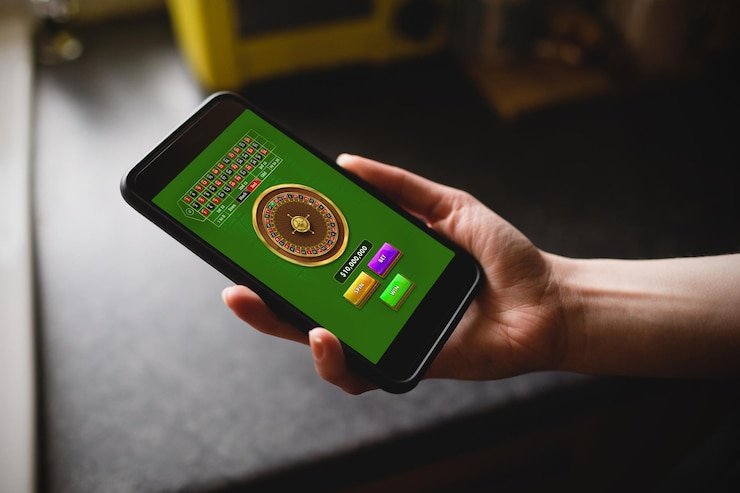
The ac777 app experience runs through your mobile browser — open the site on your phone, sign in, and your account wallet, game lobby and transaction records are right there. Whether you check it through Easypaisa-linked account activity or a Debit Card deposit, access depends on local law and eligible regions.
Getting into the ac777 mobile experience does not require a separate install from an app store. Your phone browser is the entry point. Open ac777 in your mobile browser — Chrome or Safari both render the site layout correctly on Android and iOS. Once the page loads, head straight to the login field: enter your registered email and password, then confirm. After signing in, your account dashboard appears with your wallet balance, deposit history and the game lobby accessible from the bottom navigation row.
Open ac777 in Your Browser
Type ac777 directly into your mobile browser address bar. Do not search through a third-party link. Confirm the domain matches before entering any credentials. The page loads in your current browser without an additional download step.
Sign In to Your Account
Enter your registered email address and password in the login fields shown on the page. The site will confirm your session and load your account dashboard. If you see an error, check that the email matches the one used at registration.
Check Your Wallet and Lobby
Once signed in, your account wallet balance and recent transaction records are visible on the dashboard. The game lobby — including slots from Slot Flash and Crash Betboost — is reachable from the navigation row at the top of the screen.
DEVICE CHECK LIST
Which Devices and Browsers Work with the ac777 App
Before you expect the full layout to appear correctly, it helps to know what the mobile site is built to handle. The ac777 app page is a responsive web experience, meaning the layout adjusts to your screen size automatically. No specific RAM or storage figure is published by the platform, so do not rely on any third-party source quoting those figures — check your account compatibility directly on the site after login. Access is subject to local law and supported regions. The five points below cover what you can verify yourself.
Android Mobile Browser
The site renders on Android devices through Chrome or any Chromium-based browser. The game lobby and account wallet load within the standard browser window. No APK download is required or published for this platform at this time.
iOS Safari and Chrome
On iPhone and iPad, Safari and Chrome both open the site correctly. The layout scales to fit smaller screens. Login, account wallet and the game discovery row are accessible without switching to a desktop view.
Account Login Requirement
Full access to your wallet, transaction history and the game lobby requires an active, signed-in account. Browsing the homepage without login shows limited content. Register first, then sign in through the same browser session.
Screen Layout Behaviour
The responsive layout stacks the navigation, wallet summary and game categories vertically on narrow screens. On wider tablet screens the layout shifts to a two-column arrangement. No separate tablet app is published.
Supported Region Check
Access to the ac777 mobile site depends on local law and eligible regions. If you are in a region where access is restricted, the site may not load fully. Check current availability directly on ac777 for your location.
APP HELP PATHS
Getting Help with ac777 App Access
If something about the mobile access is not working as expected — a login error, a page that does not load, or a wallet balance that is not refreshing — the support routes below are the right places to start. Describe the device, browser and the step where the issue appeared; that detail helps the support team reach a resolution faster. Do not share your password with any support channel.
App Support Chat
The live chat option is accessible from the help section in your account dashboard after login. Describe the browser, device type and the exact step where the issue appeared. The chat route handles login errors, wallet display questions and game-loading problems on mobile.
Email Support
For issues that need a record — such as a transaction that did not reflect in your wallet after an Easypaisa or Debit Card deposit — use the email address published in your account help section. Include your registered email and the transaction reference in the message.
Account Recovery Path
If you cannot sign in on mobile, use the forgot-password link on the ac777 login page. Follow the steps shown there — they are the published recovery path. Do not attempt recovery through any third-party link or an email you did not receive from the platform directly.
MOBILE TRUST CHECKS
How to Keep Your ac777 Mobile Access Secure
Mobile access introduces a few habits worth keeping consistent every time you open the site. The steps below are not complicated — they are the same account hygiene that protects your wallet whether you are checking a Debit Card deposit or reviewing your Football BlitzBet session history.
Verify the Domain Each Visit
Before entering your password, confirm the browser address bar shows ac777 exactly. A mismatched domain — even by one character — means you are not on the right page. Close the tab and type the address manually if anything looks different from your last visit.
Review Published Device Guidance
The platform publishes device and browser guidance in the help section of your account. Check it after login if the layout is not displaying correctly on a new device. Do not rely on guidance from third-party sites about this platform's technical requirements.
Protect Your Account Credentials
Use a password that is not shared across other services. Do not save your ac777 login in a shared device or a browser profile others can access. If you suspect a credential has been compromised, change your password through the account settings page immediately.
Use the Published Recovery Path
Account recovery for forgotten passwords goes through the link on the ac777 login page only. The steps shown there are the verified recovery flow. Any message asking you to recover your account through an external link or a chat tool outside the platform is not from ac777.
WHAT THE APP COVERS
Inside the ac777 Mobile Web Experience
The mobile version of ac777 is a responsive web layout — not a native application from a store listing. When you open the site on your phone after signing in, the main navigation brings together your account wallet, deposit records and the game lobby in one scrollable view. From there, game categories are reachable directly: slot titles including Khyber King Slots and Slot Flash sit alongside crash games like Crash Betboost in the discovery row. The help section and transaction history are accessible from the account icon at the top of the screen.
APP PAGE FEATURES
What the ac777 Mobile Page Delivers on Your Screen
The page behaviour described here is what you can verify by opening ac777 on a phone and signing in. No claims about native-store distribution, push notifications or offline access are made here — those would require separate verified evidence the platform has not published. What the responsive layout does provide is described across the four items below, each grounded in what the screen actually shows after a successful login.
Responsive Navigation Row
The navigation at the top of the screen adapts to your screen width automatically. Wallet, lobby, account settings and help are reachable from the same row without scrolling back to the top. On narrow screens the labels collapse to icons — tap any icon to see its label and navigate to that section.
Account and Wallet Route
Your wallet balance and deposit history — including Easypaisa transfers and Debit Card transactions — are visible directly from the account section after login. The transaction list shows amounts, dates and status. There is no separate mobile wallet screen; it is the same account view scaled to your screen.
Game Discovery Row
The game lobby on mobile displays categories in a horizontal scroll row. Titles from PlayStar, PG Soft, JDB, Bigtime Gaming and CQ9 are listed under their respective categories. You can filter by game type — slots, live casino, table games — directly from the category strip without leaving the mobile layout.
Help and Support Access
The help section is reachable from the account icon in the mobile navigation. From there, you can open the live chat, find the support email address and access the account recovery path. All support routes shown in the help section are the same ones available on desktop — there is no separate mobile-only support channel.
APP QUESTIONS ANSWERED
Common Questions About the ac777 App
The questions below come from the most common points of confusion about how the ac777 mobile experience works — particularly for returning account holders checking access on a new device or trying to find where their wallet history sits on a smaller screen.
Does ac777 have a native app I can download from Google Play or the App Store?
At this time, ac777 has not published a native application on Google Play or the App Store. Mobile access runs through your phone browser at ac777. Open the site, sign in, and your full account — wallet, game lobby and transaction records — is accessible without a separate download.
Is there an APK file I can install directly on Android?
No APK download is published or verified for ac777. Accessing the platform through ac777 in your browser is the current path for Android users. Avoid any third-party site offering an APK claiming to be from ac777 — those files are not from the platform and carry real account risk.
Where do I find my transaction history in the ac777 mobile view?
After signing in on your phone, tap the account icon in the navigation row. Your wallet section lists deposit and withdrawal records, including Easypaisa transfers and Debit Card transactions, with dates and status for each entry. The same records appear on desktop under the same account section.
Which games are accessible from the ac777 mobile browser layout?
The game discovery row on mobile includes the full catalogue available in your region — slots like Khyber King Slots and Slot Flash, crash games like Crash Betboost, and table games. Studios including PG Soft, CQ9 and Bigtime Gaming are listed under their categories. Availability depends on local law and eligible regions.
My mobile browser is showing an error when I try to sign in to ac777 — what should I do?
First, confirm the address bar shows ac777 exactly. Then try clearing your browser cache and reloading the page. If the error persists, use the live chat in the help section — accessible after you reach the homepage — or contact support through the email address published in the account help section.
Does the ac777 mobile site work on older Android or iOS versions?
The platform does not publish a minimum OS version requirement. The responsive layout is tested on current browser versions for Android and iOS. If the site layout breaks on your device, check that your browser is up to date. The help section in your account shows published device guidance for the current site version.
 Mobile / Slots